












Testing with the people who'll be clicking.
We test online shops, portals and apps with the people they were made for. We give them everyday tasks, watch where they get stuck and turn every one of those moments into a specific fix. Ideally while it's still a wireframe, before anyone writes any code.
Example: an excerpt from a product page test recording. An installation designer has to download the technical data sheet for a luminaire. She first looks for it under “Specifications”, then nearly writes to a sales rep, and finally finds the sheet under “Downloads” as HALA150_TDS_v3.pdf.
01Approach
How do we make a test change something?
A test is finished when it's clear what to fix and where to start. So we plan all the work around that moment.
-
Decision
We start with the decision the test should make easier: which version stays, what to fix first, whether the product is ready to launch. A test without a question like that ends in a report nobody opens.
-
People
We invite people from your audience: customers, distributors, designers or sales reps. A colleague from the next department knows the product too well to get lost in it.
-
Tasks
We give real-life tasks, such as “download the technical data sheet” or “order a sample”, and watch whether people manage. What counts is what people do, because what they say is often different.
-
Thinking aloud
We ask participants to say what they're thinking. A single sentence like “probably under specifications” explains more than a week of staring at charts.
-
Early
A wireframe is the cheapest thing to test. A fix on a wireframe takes a moment, while in a finished app it can be a project of its own.
-
Data
Analytics shows where people drop off, and a test explains why. When the product is already live, we start with the data and use the test to check what the numbers don't explain.
-
Priorities
Every problem gets a weight: how many people ran into it and how much it got in the way of the task. The list of fixes starts with the ones that will make the biggest difference.
-
A second test
After the fixes, we test the key tasks again. Only then do you know whether a fix really fixed things.
02Types of test
What question should the test settle?
We choose the method to suit the question and the stage the product is at. We often combine two, for example analytics with a test involving people.
User testing Tasks, observation and thinking aloud
What we do
A few people from your audience carry out everyday tasks while we watch where they hesitate, make mistakes and give up. We run sessions in person or remotely and record them with the participants' consent. There's more about the method under usability testing in the glossary.
What a test like this looks like
What you get
- A task script
- Session recordings
- A list of problems with their weight
- A fix for every problem
Wireframe and prototype testing An idea tested before any code exists
What we do
On a clickable wireframe or a prototype in Figma, we test flows, menu labels and the order of steps. We fill the wireframe with real content, because nothing can be tested on “lorem ipsum”.
What you get
- A prototype prepared for testing
- Findings from the sessions
- A revised wireframe
Comparing versions Which version of a screen works better
What we do
When the team is torn between two versions, we test both with real content, including the most difficult case. With high traffic on a live website, an A/B test settles it; with less traffic, a comparison in tests with people.
What you get
- Two versions with real content
- A comparison of results
- A recommendation on which one stays
UX audit and analytics A review of a live website and its data
What we do
We go through the key flows of an online shop, portal or app and check them against good practice. We also read the data from analytics, click maps and session recordings: where people drop off, what they look for and what they click on in vain.
What you get
- A walkthrough of the key flows
- The points where people drop off
- A list of fixes with their weight
- Questions for a test with people
Accessibility Contrast, keyboard and screen readers
What we do
We check contrast, text size, keyboard navigation and screen reader descriptions. When a website has to meet WCAG, we agree on the level at the start and check it before publishing. More under digital accessibility in the glossary.
What you get
- A WCAG compliance review
- A list of fixes for designers and developers
- A check after the fixes
Surveys and interviews Before the wireframe: what people are looking for
What we do
When the idea for a website or app is still taking shape, we ask the people who will use it, in a short survey or in interviews. Their answers set the priorities, and the finished flows are then checked in a test.
What you get
- A survey or interview script
- A summary of the answers
- Project priorities
Similar projects
03Sample test
Six people look for a data sheet
Take a manufacturer's product page for a luminaire. Designers and installers usually visit it for one thing: the technical data sheet. We give that task to six people from this group and watch where they click. The manufacturer and the numbers are made up, but this is exactly how a test goes.
First, a real-life task
Everyone gets the same page and one instruction. We ask them to think aloud, and we don't drop a single hint, even when it's very tempting.
Then we watch where they click
Each dot is one person's first click. Two of the six got it right away. Three looked under specifications, and one wanted to write to a sales rep for the PDF.
Finally, a fix and a second test
The files move out of the tab onto the product page, right below the specifications, and get names people recognise. In the second test, six out of six found it. Try it yourself: click where you'd download the data sheet.
A task for six people
Download the technical data sheet for the 150 W luminaire.
Designers, installers and wholesale buyers
First test
- Found straight away
- 2 of 6
- Average time
- 1 min 10 s
Second test
- Found straight away
- 6 of 6
- Average time
- 9 s
Downloads for 150 W
- Installation instructions PDF, 3.4 MB
- Photometric files LDT and IES
-
“Probably under specifications.”
In the test
Three people started with the “Specifications” tab, because that's where they expected technical data.
After the fix
The files sit on the product page, right below the specifications, with no hunting through tabs.
-
“I'll ask a sales rep.”
In the test
The only prominent button was “Request a quote”, so one person nearly wrote to a sales rep for the PDF.
After the fix
Every file has an icon and a size, and “Request a quote” stays for those who want a quote.
-
“Which one is the data sheet?”
In the test
There are six files under “Downloads”, and the data sheet has to be recognised by the abbreviation TDS.
After the fix
The files have names people would type into a search engine: technical data sheet, installation instructions, photometric files.
-
“Is this my wattage?”
In the test
One sheet covers every wattage at once, so the data for 150 W has to be found in a table.
After the fix
The files are for the wattage selected on the page, and 150 W is shown above the list.
In practice
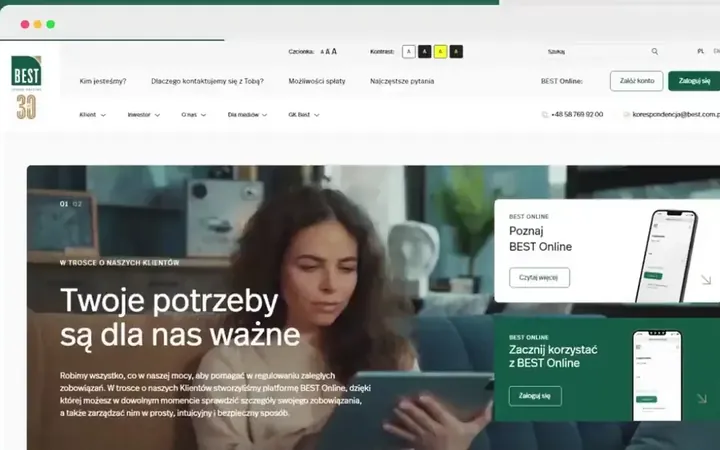
Small fixes like these come up in real projects too. After the first tests with the client, we increased the text size and line spacing across the whole Biurokoncept shop, on more than a thousand product pages.
See the Biurokoncept project
04Process
From question to a fix that worked
This is what a full test with participants looks like. Before we start, you know who will be testing, what tasks they'll get and when you'll see the results. For a smaller question, such as two versions of one screen, we combine some stages, and an audit or analytics review can be the first step before a test.
-
Etap 1: Goal and questions
We agree on the decision the test should make easier and gather what you already know: analytics data, customer service tickets, feedback from sales reps. That gives us a few questions the test needs to answer.
What you get
- The test goal and questions
- A list of flows to check
-
Etap 2: Participants and tasks
We recruit people from your audience, often with your help: customers, distributors, designers. We write tasks drawn from their daily work, without words that hint where to click.
What you get
- Participant profile and invitations
- A task script
-
Etap 3: Prototype or live website
We test whatever exists: a clickable wireframe, a prototype in Figma, or a live shop or app. We prepare test accounts and data, so participants get stuck on the task, not on logging in.
What you get
- A prototype ready for testing
- Test accounts and data
-
Etap 4: Sessions
Each session is one person, a few tasks and thinking aloud. We run them in person or remotely and record them with the participants' consent, and your team can watch live via a link.
What you get
- Session recordings
- Notes on every task
-
Etap 5: Analysis and priorities
We combine the observations from all sessions into problems. Each one gets a weight and a fix, and we cut the key moments from the recordings, because one minute of footage convinces a board faster than a slide.
What you get
- A report with recording excerpts
- A list of fixes, most important first
-
Etap 6: Fixes and a second test
We revise the wireframe or write tasks for your developers. We test the key tasks again, to know that the fix worked.
What you get
- Revised screens or tasks for developers
- Second test results
05Questions
Frequently asked questions
How many people does a test need?
For a single audience, five or six people are usually enough, because most recurring problems show up after just a few sessions. When a product has several distinct groups, such as customers and distributors, we invite a few people from each.
Where will you find participants?
Ideally from your own contacts: customers, partners, distributors. We help write the invitation and agree on a small thank-you for taking part. When the product is new, we look for people from the same group outside your company.
Can you test before the product exists?
Yes, and that's the cheapest moment. We test clickable wireframes and prototypes before anyone writes any code. There's more under wireframing and MVP.
In-person or remote testing?
Both. Remote makes it easier to bring together people from all over the country, while in person you see better what happens on a phone or at a workstation. Your team can watch every session, and you get the recordings together with the report.
How is a test different from a survey?
A survey collects what people say they do, and a test shows what they actually do. Both are useful: a survey before the project tells you what people are looking for, and a test on a wireframe tells you whether they find it.
What about A/B tests?
An A/B test settles which of two versions works better with real traffic, but it needs a lot of visits and time. With less traffic, we compare versions in tests with people, using real content.
Will participants see our unfinished product?
Yes, but on your terms. Before the session, participants agree to be recorded and commit to confidentiality, and we only show the prototype during the test.
What do we get at the end?
A report with a list of problems ordered by importance, with recording excerpts and a fix for each problem. If you like, we revise the wireframe straight away or write tasks for your developers, and run a second test after the fixes.