









Are your logo guidelines enough for your team?
Logo guidelines sitting as a PDF on someone's drive won't help a sales rep at 4.40 pm on a Friday. This checklist looks at two things: whether the brand documentation is complete and whether the team can use it day to day.
Logo guidelines explain how to use the logo. A brandbook describes the whole brand, including language, photography and the rules for materials. For everyday work, the team also needs ready-made templates in the software it uses. Without them, even good guidelines end up as a PDF someone opened once.
The checklist has five sections, from logo basics to access to the files. The first two are the minimum for any company. The third and fourth decide whether materials from different departments look like one brand.
Online version
For each point, choose “in place”, “partly” or “missing”. The score is worked out as you go, and your answers stay in this browser only. Nothing is sent to us.
Section 1: Logo
The basics every set of logo guidelines should have.
-
The logo in its main and additional versions, for example horizontal, vertical and the symbol on its own.
-
Clear space and minimum size, separately for print and screen.
-
Versions for light and dark backgrounds, plus achromatic and single-colour versions.
-
Examples of misuse: stretching, changed colours, shadows, the logo on a photo without enough contrast.
-
Vector files (SVG, PDF, EPS) and PNGs, with a note on which file is for what.
up to 6 points
Section 2: Colours and type
-
Colours in CMYK, RGB, HEX and Pantone, with the proportions in which they're used.
-
Typefaces licensed for print, web and office documents.
-
A substitute typeface for Word and PowerPoint, for computers without the brand font.
-
Text hierarchy: headings, paragraphs, captions and highlights.
up to 4 points
Section 3: Language and imagery
What sets a brandbook apart from logo guidelines.
-
A description of who the brand is and what it promises, clear to a new employee.
-
Language rules: how the company writes to customers, what it avoids, with examples.
-
Photo style: what to photograph, in what light, what not to show.
-
Icons, illustrations or graphic patterns, with rules for using them.
up to 4 points
Section 4: Tools for the team
Ready-made files the team can use without a designer.
-
Presentation, proposal and document templates in the software the team uses every day.
-
Templates for social media posts and graphics.
-
An email signature ready to paste.
-
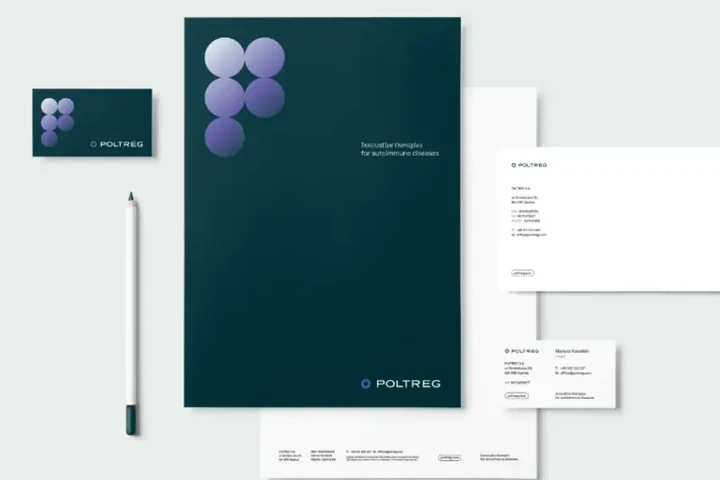
Designs for printed materials: business cards, letterhead, folders, roll-ups.
-
Examples of finished materials to follow.
up to 6 points
Section 5: Access and upkeep
-
The guidelines and files are in one place that everyone who needs them can access.
-
It's clear who is responsible for the brand and who to ask.
-
The documentation was updated after the last big change in the company.
-
Subcontractors and printers get the guidelines with their first job.
up to 4 points
Score
0of 44 points
Answer the questions above and your score will appear here.
-
0–17 points
There's a logo, but no system
The team is guessing, and every new job starts with a question about files. Start with sections 1 and 2: the complete logo set, colours and type. That's the minimum everything else stands on. -
18–32 points
Rules in place, tools missing
The guidelines describe the logo, but people don't have ready-made files, so they do their own thing. Section 4 will help most: templates in the software the team uses every day. -
33–44 points
The team has what it needs
Your brand documentation is complete. Keep it up to date, and once a year check with the team that the templates still fit the way they work.
Would you rather go through the results with someone who does this every day?
In the first call we'll tell you plainly whether we can help. If we can, you'll know before we start what we'll do, in what order and when.